

You’re not looking for more generative AI tools. You’re looking for a stack you can approve, govern, and scale.
This guide helps you choose generative AI tools the way an enterprise engineering leader has to: start with two high-volume workflows, map each to the right tool category (text and code), then evaluate options with a short checklist for integrations and controls. You’ll also get a rollout operating model and a two-week pilot plan designed to produce a decision you can defend to Security and Finance, not a “best tools” list that turns into shadow usage and surprise spend when the wheels come off.
Start With Two Workflows, Not Tools
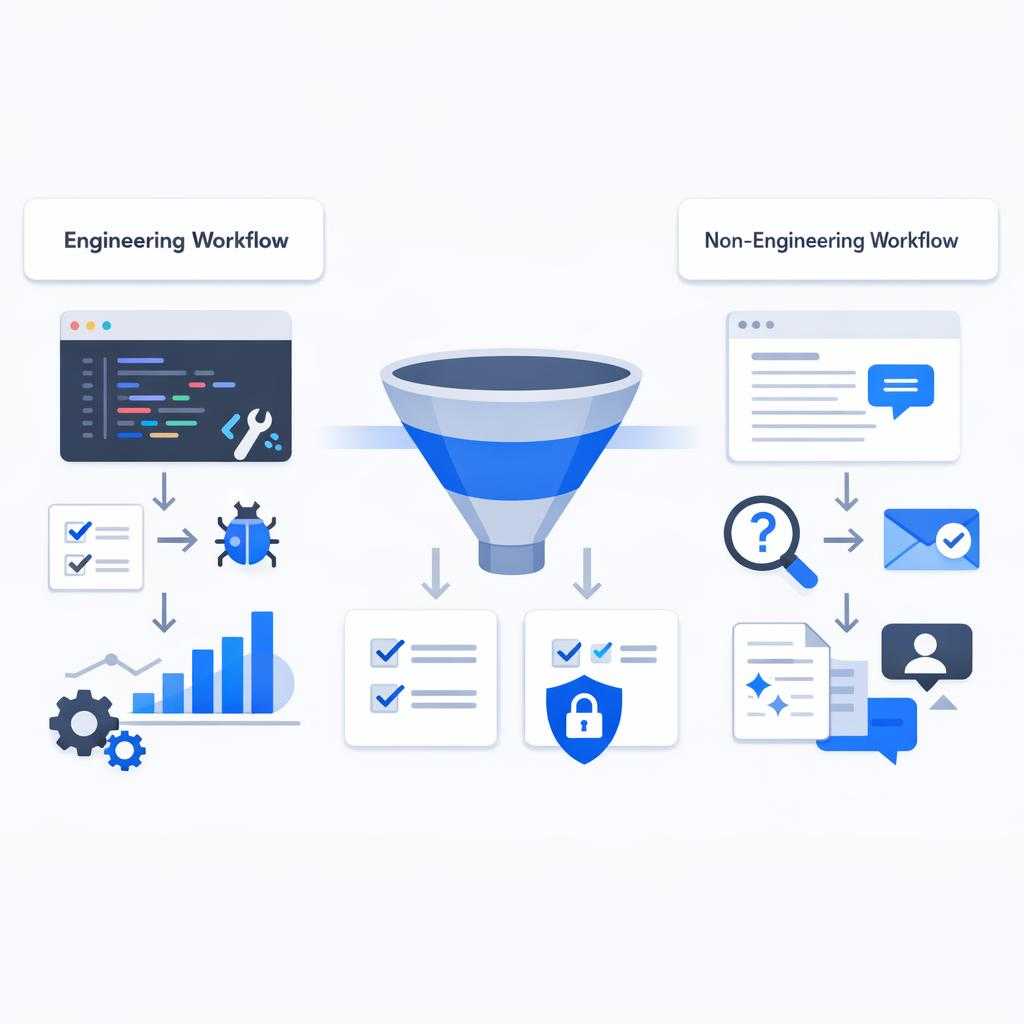
A shiny “enterprise” plan rolls out, people experiment for a week, and then Security asks which workflows are approved and what data touched the model. If you can’t answer in one slide, you’ve got a leak, not a stack.
If you start by comparing generative AI tools, you’ll optimize for demos and end up with uneven adoption, surprise cost, or a security exception nobody wants to own. Start with two workflows that already have clear throughput pain and lots of repeatable work, so you can measure impact without arguing about vibes.
Pick one engineering workflow and one non-engineering workflow, and define “better” in numbers before you shortlist anything. If it is not measurable, it is not real. If you have read Accelerate: The Science of Lean Software and DevOps (Forsgren, Humble, Kim), you already know why. For example: PR review turnaround time or time-to-first-draft for release notes with an AI writing assistant. Add constraints upfront (what data can't be pasted and where the work happens like IDE/Jira/Confluence) so you only evaluate tools that fit your operating model.
Map Use Cases to Tool Categories
GenAI rollouts stall when teams expect one product to cover drafting, coding, knowledge search, and creative production. That mindset forces you into apples-to-oranges tradeoffs. A great chat model won’t automatically behave like an IDE-native code assistant, and a flashy image model won’t solve the real problem of getting compliant assets into your existing review pipeline. Show me the failure modes, not the demo reel.
Instead, tag each workflow you chose with the category that matches the job to be done and the system it must live inside (IDE and Confluence). Think of categories like labeled bins on a factory floor. They keep the line moving. For instance, “reduce PR review cycle time” maps to code assistants, while “answer policy questions with links to the source” maps to research/Q&A. You’ll move faster in procurement and security review when every tool has a narrow purpose and clear boundaries.
If you’re piloting AI for drafting and rewriting, it’s worth aligning output expectations with what search engines will (and won’t) reward over time. Read more in our article: Why AI Content Does Not Harm Seo In Google Definitive Guide
| Tool category | Best for (jobs to be done) |
|---|---|
| Text generation & rewriting | Drafts, summaries, tone transforms for docs, release notes, enablement content |
| Code assistants | IDE or PR-centric help with implementation, refactors, tests, and review comments |
| Research & Q&A | Web-backed or internal-knowledge answers where grounding and citations matter |
| Image generation | Mockups and concept assets with brand/IP constraints and approval steps |
| Video/audio generation | Clips, voiceovers, editing; higher brand and misuse risk than static assets |
| Agent/workflow tools | Multi-step automations (draft → validate → route for approval) that need gates, not just generation |
The Enterprise Selection Checklist
Organizations report saving roughly 40–60 minutes per day with enterprise AI, yet that time can evaporate into review, rework, and handoffs if controls and workflow fit are wrong (OpenAI’s 2025 enterprise report). The fastest way to lose credibility is to call it ROI before you can explain how it changes a delivery metric.
Within any tool category, you don’t need a 30-factor scorecard. You need a short set of questions that predict the failures you’ll otherwise discover only after rollout. Adoption stays individual. Outputs go untrusted. A browser-based shadow stack appears, or spend scales faster than value. This is an organizational capability choice, not a UI preference. If you are not mapping controls to the NIST AI Risk Management Framework (AI RMF), you are guessing.
Also, don't let “minutes saved per user” become your decision proxy. You can absolutely save 40–60 minutes a day and still ship nothing faster if the tool doesn't reduce review latency or rework.
| Selection criterion | What to verify |
|---|---|
| Workflow fit | Does it live where work happens (IDE, PR, Jira, Confluence, Zendesk, Google Docs)? What integrations are non‑negotiable (SSO, SCIM, DLP, ticketing, repos), and what breaks when they’re missing? |
| Team controls | Can you enforce policy via an admin console (roles, workspace boundaries, sharing controls)? Are audit logs sufficient to answer “who used what, on which data, when” without screenshots? |
| Data handling | What’s allowed as input, what gets retained, and what’s used for training by default? Can you set org-wide “do not paste” rules for secrets, customer data, and regulated fields and enforce them? |
| Output quality & failure modes | How consistent are results under real prompts, context sizes, and jargon? Does it invent steps, skip prerequisites, or drift from internal standards? |
| Grounding & citations (when applicable) | Can it cite sources for web or internal knowledge, and can users verify quickly? |
| Cost model & spend controls | Seat-based, usage-based, or hybrid? Can you cap usage, set model tiers, and report consumption by team/workflow? |
| Reliability for scale | Latency, rate limits, uptime, and support SLAs under load; fallback when the model degrades or throttles |
| Vendor risk & lock-in | Can you export data, prompts, and evaluation artifacts? Will the tool support (or impede) multi-model routing later? |
Choose an Operating Model

Your operating model decides whether GenAI becomes a few power users moving faster or a repeatable capability that shifts delivery metrics. It sets the blast radius when something goes wrong. The critical tradeoff is simple. The more you centralize controls and integration, the more predictable risk and cost become. The slower you move in the first two weeks. Treat it as tool selection rather than ownership and you’ll get the worst mix: quick adoption without an audit trail, followed by a forced security cleanup under pressure.
Individual productivity enablement (approved apps, light policy, basic SSO) buys speed and signal. It’s the right move when you’re still proving that “minutes saved” can translate into fewer review cycles or faster time-to-first-draft. The downside is governance leakage: Menlo reported shadow GenAI usage surging 68%, and most access happens in the browser, so without clear boundaries and a control point, your real stack becomes whatever people can reach (Menlo Security’s 2025 report).
Managed team rollout (one or two workflows, defined inputs, admin controls, measured outcomes) is the default for most 500–5000 person orgs. For example, you can standardize PR support and release-note drafting with shared prompts, repo access rules, and audit logs using AI content writing tools, then measure PR review cycle time rather than “developer happiness.” You’ll move slower than self-serve, but you’ll get ROI you can defend.
Platform/API approach (internal gateway, model routing, logging, policy enforcement) fits when your value comes from integrating into Jira/Confluence/Zendesk or when vendor churn and lock-in matter. It demands real engineering capacity, but it’s how you keep high-intensity usage from becoming a surprise cost curve.
Decide by answering one question: do you need learning speed this quarter, or do you need enforceable controls and portability at scale?
FAQ and knowledge-base content is one of the fastest ways to reduce repetitive inbound questions while keeping answers consistent across teams. Read more in our article: Should I Be Answering Common Customer Questions On My Website
Avoid Predictable Failure Modes

A sanctioned tool rolls out, then an urgent request hits and someone pastes the snippet into a browser tab because it’s faster. Two weeks later, you’re reconstructing events from chat history that isn’t there.
Most GenAI rollouts don’t fail because the model is weak; they fail because usage, data, and cost route around your controls. If you tell yourself “we bought the enterprise plan, so we’re covered,” you’ll miss the real control points. Browsers, copy/paste paths, and workflow bottlenecks are where the truth lives. Datadog will not save you if you are not instrumenting usage and policy there.
Preempt the common failure modes with a few explicit guardrails:
-
Shadow usage via browser: Treat the browser as the default access path and put policy there (SSO enforcement, approved domains, DLP prompts, logging expectations), or you’ll govern the exception while everyone uses the shortcut.
-
Data leakage by convenience: Publish a “never paste” rule for secrets, customer PII, and regulated fields, then back it with technical controls (endpoint DLP, redaction, or a managed gateway) so enforcement doesn’t depend on memory.
-
Cost blowups from heavy reasoning: Separate light chat from high-intensity workflows and require usage caps, model tiering, and per-team reporting before you integrate it into PRs, tickets, or automations.
-
Review and QA load shifting: If generation speeds up but verification stays manual, you've just moved the work to reviewers. Measure review latency and defect rate, not just time-to-first-draft.
Shortlist Generative AI Tools by Category
Enterprise GenAI spending was estimated at $37B in 2025 versus $11.5B in 2024, and about $18B of that 2025 spend was attributed to infrastructure, not app licenses (Menlo Ventures). If you don’t separate categories and intensity early, the cost conversation will catch up with you later.
You'll move faster if you stop trying to name a single “best” generative AI tool and instead pick a default per category that matches your operating model. In practice, your shortlist should be small enough that Security and IT will actually review it, and specific enough that teams don’t route around it with browser-based alternatives the moment a workflow doesn’t fit. Give people a paved road, or they will cut through the grass.
Use the same three-line template for every candidate. Make it your golden path for evaluation. If you can't write these clearly after a 30-minute technical screen (SSO/SCIM and audit logs), the tool isn't ready for an enterprise pilot.
Text Generation & Rewriting (Drafting, Summaries, Internal Docs)
-
Best for: Enterprise chat/workspace copilots with admin controls and data boundaries; fast drafting in Docs/Confluence.
-
Watch-outs: Weak tenant controls, unclear retention/training policy, or no org-level sharing rules.
-
Fit signals: SSO + SCIM, policy controls, exportability of conversations/templates, and reporting by team.
Code Assistants (IDE, PR, Tests, Refactors)
-
Best for: IDE-native assistance and PR-aware review help that reduces review latency, not just typing.
-
Watch-outs: Repo access that’s all-or-nothing, limited auditability, or suggestions that break internal patterns.
-
Fit signals: Fine-grained repo/org permissions, audit logs, configurable models, and measurable impact on PR cycle time.
Research & Q&A (Web-Backed or Internal Knowledge)
-
Best for: Answers with citations and quick verification for policy, architecture, and runbook lookups.
-
Watch-outs: Confident responses without sources; “summary” modes that drop critical caveats.
-
Fit signals: Source links you can audit, connectors to Confluence/Drive/SharePoint, and access controls that mirror your IAM.
Image Generation (Mockups, Concept Art, Marketing Assets)
-
Best for: Early-stage concepts and variants when brand review and IP boundaries are explicit.
-
Watch-outs: Rights ambiguity, brand drift, and no workflow into your existing review/asset management.
-
Fit signals: Commercial usage terms your legal team accepts, style controls, and a path into your design approval process.
Video/Audio Generation (Clips, Voiceover, Editing)
-
Best for: Lightweight edits and internal enablement content where misuse risk is managed.
-
Watch-outs: Brand and impersonation risk, unclear content provenance, and fragile reliability at scale.
-
Fit signals: Watermarking/provenance options where available, admin controls, and an approval gate before external publishing.
A Two-Week Pilot You Can Trust

You finish two weeks with numbers that survive a skeptical readout: cycle time, defect rate, auditability, and a clear go/no-go. Instead of arguing about preferences, you walk away with a default decision you can enforce.
A pilot only matters if it ends in a decision you can defend to Security, Finance, and the business. Run a “try a few tools and see what people like” trial and you’ll mostly learn that preferences differ. You still won’t know if delivery sped up, if review load shifted, or if browser workarounds created an audit gap.
Pick two real workflows with repeat volume and clear bottlenecks: one engineering and one non-engineering. For instance: (1) PR review support in your main repo, where the pain is pickup time and back-and-forth on edge cases; (2) Zendesk macro drafting and summarization, where the pain is time-to-first-response and consistency. Lock the inputs up front (no secrets/PII and where the work happens like IDE vs browser) so you're evaluating the tool you'd actually roll out.
In week one, baseline and measure using the same definitions you already use to run the business. Track PR cycle time and review latency, defect rate, and stakeholder satisfaction from the reviewer or approver, not the author. In week two, force one failure case on purpose, like a prompt that tempts the tool to invent a runbook command or to answer a policy question without a source, then write down the mitigation you’ll require (citations mandatory, human review gate, blocked inputs, model tiering).
End with a rule, not a debate: ship one default tool per category for the two workflows you tested, and define the cutoff for “no rollout” (for example, defect rate rises or audit logs don't answer who did what). If you need a reminder, Martin Fowler has been saying for years that decision records beat vibes. If you can’t say what would make you stop, you’re not piloting, you’re drifting.
If your shortlist includes AI writing tools for internal or external content workflows, comparing options side-by-side makes it easier to standardize on a default without creating a shadow stack. Read more in our article: AI Content Writer Comparison Best Tools And Workflows For 2024
FAQ: Generative AI Tools for Enterprises
Do Enterprise GenAI Tools Train on Your Data by Default?
It depends on the vendor and the exact SKU, so treat “we’re enterprise” as marketing until you have the contract language. You want explicit terms for training opt-out, retention duration, where data is processed, and what logs get kept for abuse monitoring.
What Are the Minimum Controls You Should Require for a Team Rollout?
Require SSO (SAML/OIDC) and SCIM so you can enforce identity and offboarding at scale, plus an admin console that can set workspace and sharing policy. If you can’t get audit logs that answer who accessed what and when, you’ll end up governing by screenshots.
When Do You Need Citations, and What Counts as “Good Enough”?
If the output drives policy, customer communication, security decisions, or incident response, you need citations or direct links to the underlying source of truth. “Sounds right” isn’t a validation method; if users can’t verify quickly, adoption will shift to tribal knowledge or shadow tools.
How Do You Keep Costs Predictable When Usage Spikes?
Separate per-seat chat usage from high-intensity workflows (agents, automations, heavy reasoning) that can change your cost curve fast, then enforce caps and model tiering by team. If the tool can’t report consumption by org unit and workflow, you can’t manage it.
How Do You Avoid Vendor Lock-In While Still Moving Fast?
Standardize on portable artifacts you control: prompts/templates, eval sets, and logs of inputs/outputs tied to your workflows, not the vendor’s UI. As an example, if you can’t export conversation history and evaluation results in a usable format, switching models later will feel like starting over.
Do You Always Need Human Review?
Yes for externally published content, customer-impacting decisions, and anything that can create security, legal, or availability risk. You don’t need bureaucracy, but you do need an explicit gate: the faster generation gets, the more damage a single unchecked error can cause.
"Try 5 free articles on us, complete with images and links, automatically published to your WordPress site, in any language" and add a link to WriteMeister.com